What’s new in YardRemake — fall 2026
Six weeks of changes — a picture for every plant in the library, zone checks on the 2023 USDA map, plant markers that find each plant’s outline, 108 gallery designs, and a calmer studio.

YardRemake Studio
Published October 9, 2026 · 6 min read · 7 sections
On this page
The blog went quiet at the end of August. The product didn’t. Here is what shipped between then and this week — all of it live now, and nothing on this list is a preview or a waitlist.
Every plant in the library has a picture of itself growing
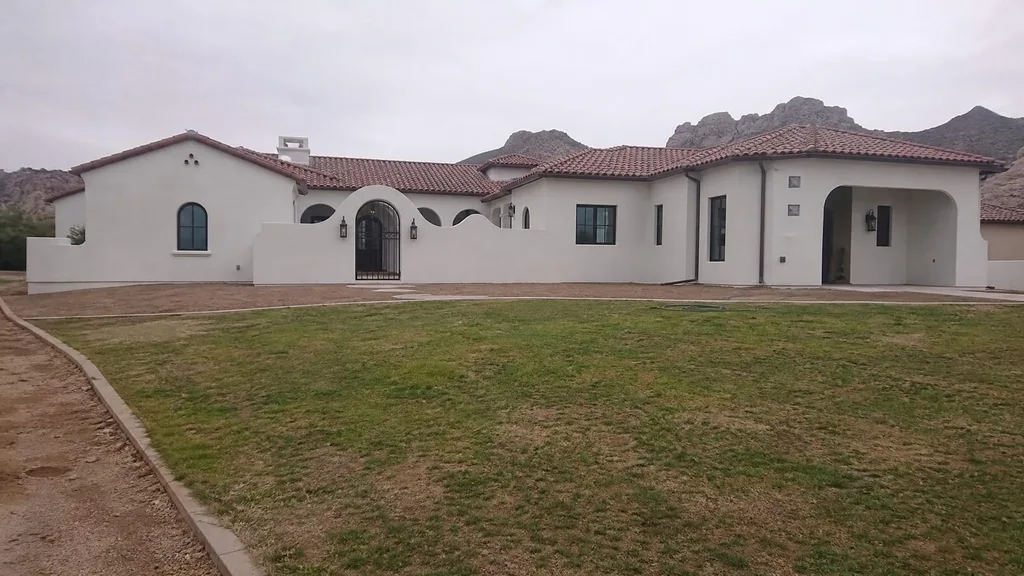
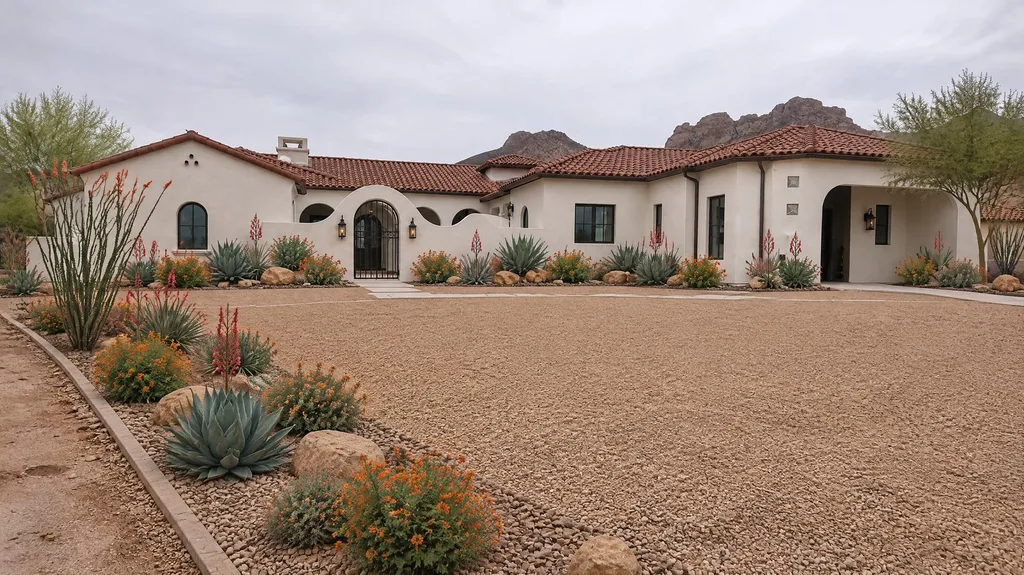
At the end of August, about two in three plants in the plant library showed only a cutout — the transparent image the design tool composites into your photo. Useful for building a design, not much help for deciding whether you want the plant at all.
Now all 720 have a picture of the plant growing in a garden bed, and every plant page opens on it. These are generated images, and each one was checked by eye against the plant’s botanical name before it shipped. That check is not a formality: it caught a French lavender that had come out as Spanish lavender, a redbud with no blooms, and hostas forced into flower. Seventeen pictures were redone along the way, several of them already live.
On a computer, opening a plant from the library grid now brings up a sheet: the picture on the left, every fact on the right — zones, size, sun, water, soil — without leaving the page you were browsing.
Zones, checked against the 2023 map
Two zone fixes, one of them a bug we owe you an explanation for.
The map lookup was a zone too cold for about a third of the country. Entering a ZIP always used the current 2023 USDA map. But the map-based lookup — the one behind “Use my location” and the zone maps on plant pages — still ran on the older 2012 bands, so in places like Seattle, Denver, Boston and Austin the two disagreed by a full zone. Both now use the 2023 map.
Style prompts stopped naming plants your zone can’t grow. A style is a description we send the image engine, and some descriptions named specific plants. In the wrong zone, that produced designs with plants your winters would kill — every Mediterranean render in zones 9 and 10 came back with English lavender, which we rate for zones 5 to 8. Where a named plant isn’t rated for your zone, the prompt now names one that is. We now audit every style against every zone it’s offered in, front yard and back.
And when a design does include a plant rated outside your zone, its row in the plant list says so with an Outside zone tag, instead of letting you find out in February.
Plant markers that start from the plant’s outline
Plant markers pin a label on every plant in a finished design. Until mid-September each pin was placed from a rough box the AI drew around a plant, and in our tests only about half of them landed on a plant at all — the rest sat on mulch, lawn or a fence.
Markers now start from each plant’s traced outline, and in the same tests 94% of pins land on a plant. A second update at the end of September changed how each plant is cut out and named: in our own blind grading of 24 designs, run three times each, the share of pins on the right plant with the right name went from 66% to 79%. Better, not finished — so when the naming step can’t tell which species it’s looking at, the plant list now says Species unconfirmed rather than guessing, and that row gets no shopping link.
A gallery of 108 real designs
The gallery went from 19 designs to 108, on homes from Vermont to Hawaii. Each design page now carries close-ups — from the path, beside a bed, along an edge — that open full size, with plant pins you can switch on. Every pin on a close-up was checked against the spot it points at before it shipped.
The newest 22 are planted from our researched starter sets, so they show the plants a region’s landscapes actually use instead of the same few that image engines reach for. Each one has a Try this exact look link that opens the studio with that set loaded. The page itself got simpler too: the renders sit straight on the page, whole and uncropped, six to a screen on a laptop.
Ideas by style, plants by zone
Two new sets of pages for the questions people search before they ever open a design tool:
- Ideas — a page per style, from Cottage to Desert: a real render, three close-ups, how to get the look, the eight plants that build it, and gallery designs in that style where we have them.
- Zones — a page per USDA zone from 3 to 11: what the zone actually means for winter, how many of our plants are rated for it, and a sample of them. Zone 7 is a good place to start.
A calmer studio
The studio lost its gates. It used to open on a zone form; now it opens on the choice that matters, and asks for your zone on the style step — the first moment the answer changes anything you can see. On a computer it’s a step-by-step workspace: the design step is one gallery of tools, the generate step is one bar under your photo, and the result is a large render pinned beside a single plant list you can tap open.
If a render fails, the message now says so in plain words — and when the render never ran, that you weren’t charged. The credit meter also updates after every render instead of running one behind.
Planters, and odds and ends
Build a Planter gained 24 new planters — a white Versailles box, a window box, a teak square, a board-formed concrete trough, hammered copper and more — each with a planted arrangement you can toggle on and off, set against new backdrops of a villa terrace, an estate entry, a manor garden and a modern courtyard.
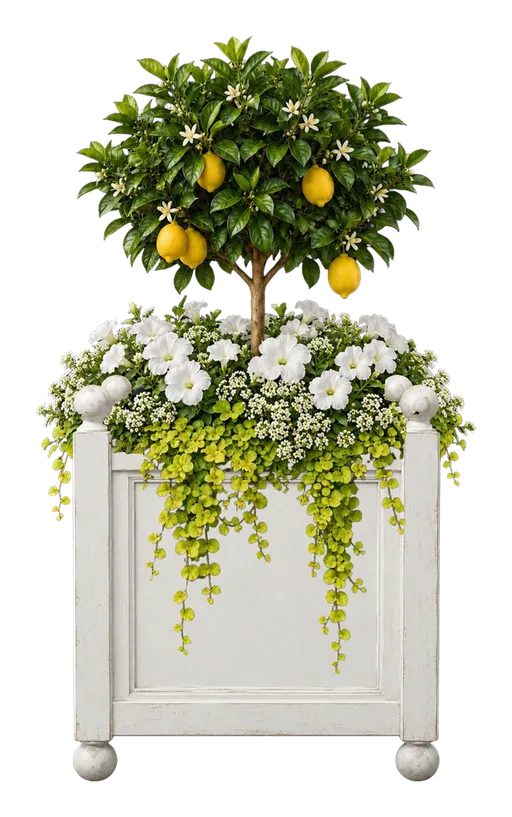
Versailles Planter Box
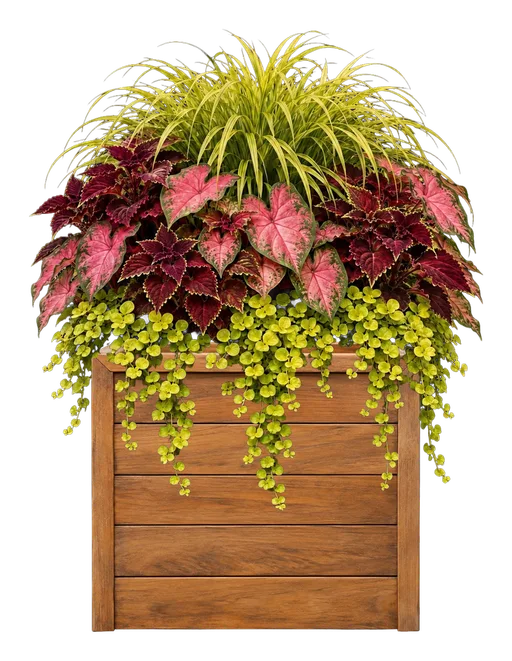
Teak Square Planter Box
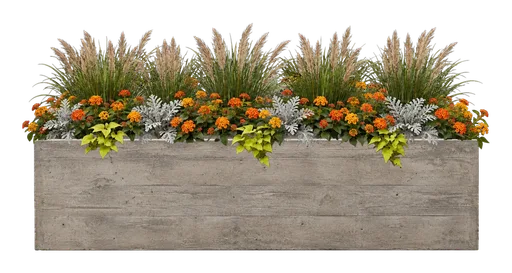
Board-Formed Concrete Trough

Hammered Copper Planter
- Your favorites, saved sets and zone follow your account. Sign in on a second device and they’re there.
- Backyard photos get their own catalog of 18 style cards, each designed as an outdoor room rather than a front-yard planting moved round the back.
- The pricing page says only things that are true, including exactly what the free plan includes.
- We’re on X and Reddit.
And the blog is back, with a new guide every week through the fall. If you haven’t yet, reimagine your yard.