The Design Pack — hand your yard plan to a contractor
Every design now downloads as a contractor-ready PDF — the planting plan with every plant located, a spec schedule, a shopping list with budget ranges, a year-one care calendar, and cited sources.

YardRemake Studio
Published August 7, 2026 · 3 min read · 5 sections
On this page
A pretty picture of your future yard is a great start. But the moment you actually want it built, the picture runs out of answers. How many of those grasses? What are the blue ones called? Will the olive tree survive here? What am I handing the guy who shows up with a truck?
That’s the gap the Design Pack closes. Every finished design now downloads as a seven-page PDF you can email to a landscaper, take to a nursery, or print and mark up with a pen.
Every plant, located
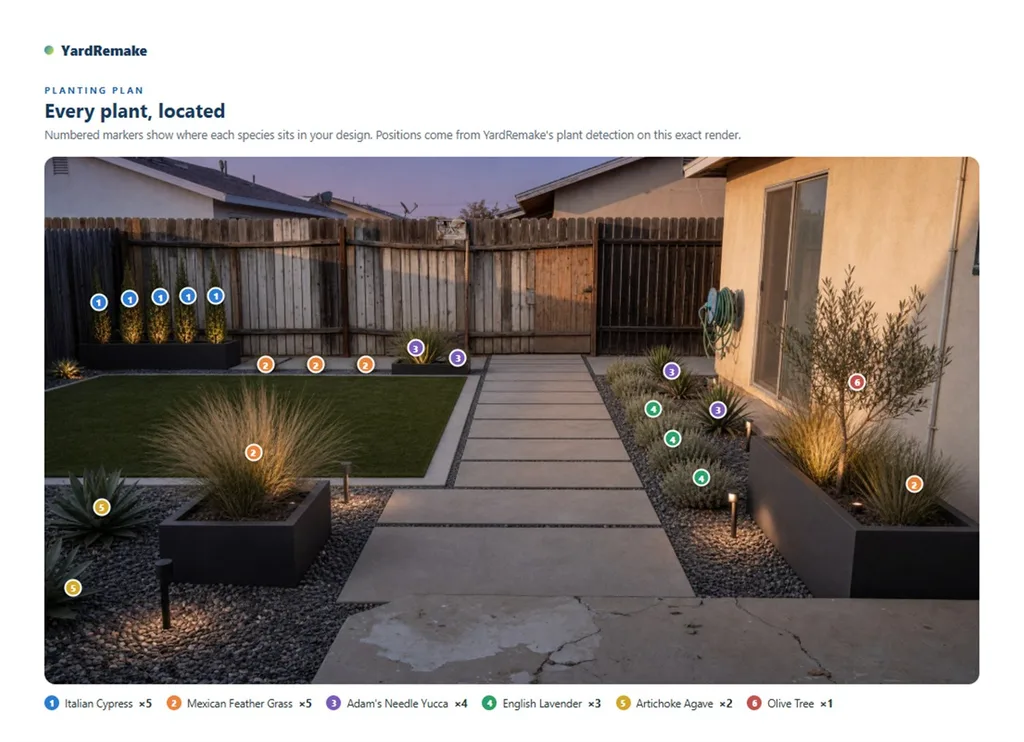
The page that does the heavy lifting. Your design, with a numbered marker on every plant our AI placed — and a legend that counts them: Italian Cypress ×5, Mexican Feather Grass ×5, Adam’s Needle Yucca ×4.
This is the page a contractor actually needs. Not “some grasses along the path” — five of them, exactly there.
The spec sheet
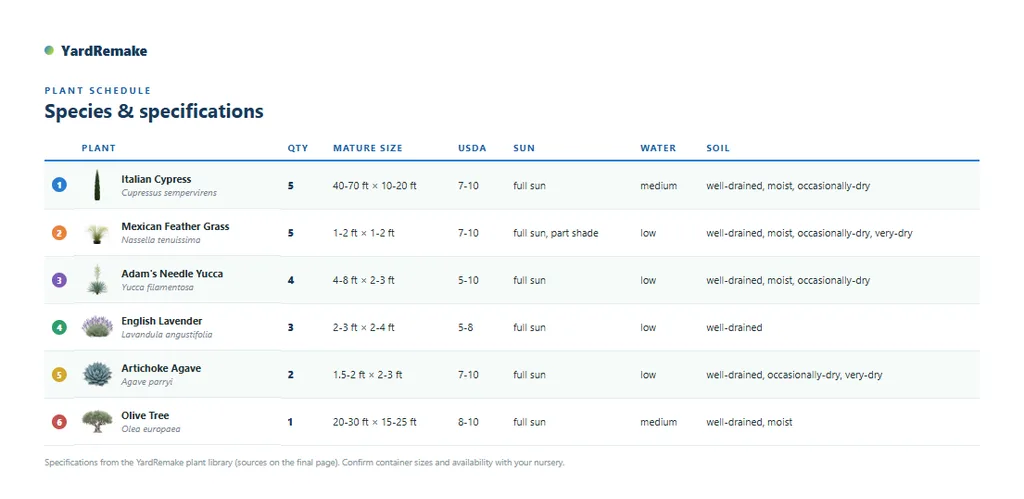
Next comes the schedule: each species with its botanical name, quantity, mature size, USDA range, and sun, water and soil needs — the details that decide whether a plant lives or dies, pulled from our plant library rather than invented.
What it costs, roughly
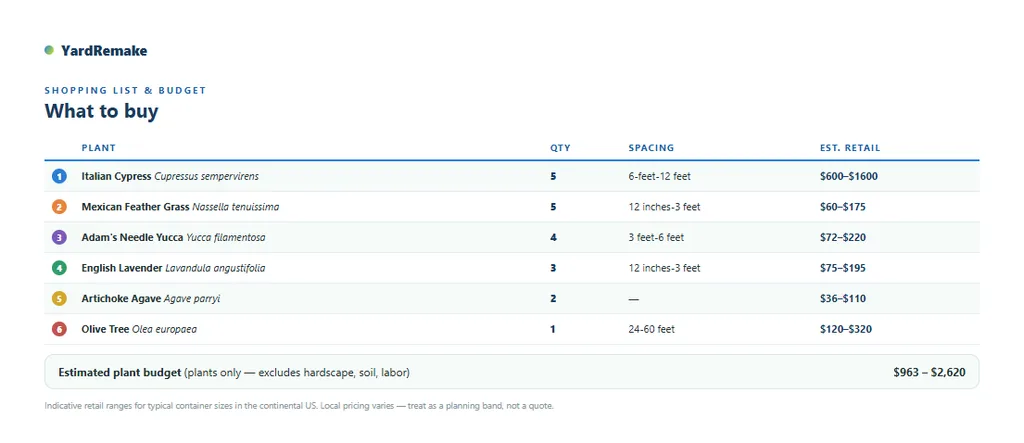
Then the shopping list — quantities, spacing, and an indicative retail range per species with a total at the bottom. It’s a planning band, not a quote (local prices vary, and it counts plants only — no hardscape, soil, or labor), but it answers the question everyone asks first: are we talking hundreds or thousands?
And the year after planting
The last two pages are the ones you’ll keep: a season-by-season care calendar for year one — what to feed in spring, how to water through the first summer, what needs protecting when it gets cold — and a sources page citing where each plant’s data came from, so anything in the pack can be checked.
How to get one
Open any finished design and hit 📋 Design Pack. That’s it — the PDF builds in a couple of seconds and downloads. It’s available on the result screen right after you generate, and on any design saved in your library.
One nice detail: the pack documents the version you’re looking at. If you’ve swapped a plant and you’re viewing that version, the pack describes that render — its image, its plants, its markers.
Design something you like, then take it into the real world. Reimagine your yard.