Update · New this month
What’s new in YardRemake — July 2026
Plant swapping on results, version history for every design, a redesigned library, walkway and mulch styles, and a guided planter tour.

YardRemake Studio
Published July 20, 2026 · 3 min read · 6 sections

On this page
It’s been a busy month. Here’s everything that shipped in YardRemake recently — all of it live right now.

Swap any plant in a finished design
Sometimes a design comes back 95% right — great layout, but that one tree isn’t doing it for you. You can now hit Swap next to any plant or tree in the result list, pick a replacement from the library, and the design regenerates with your pick in the same spots. Everything else stays put.

Common Boxwood
comes out

White Bird of Paradise
goes in
Version history for every design
Each time you edit a result — a swap, a tweak, a regeneration — the previous render used to vanish. Now every design keeps its full set of versions: a Versions switcher on the result screen and in your saved-design view lets you flip between every render from the session, with the plant list matched to each one.
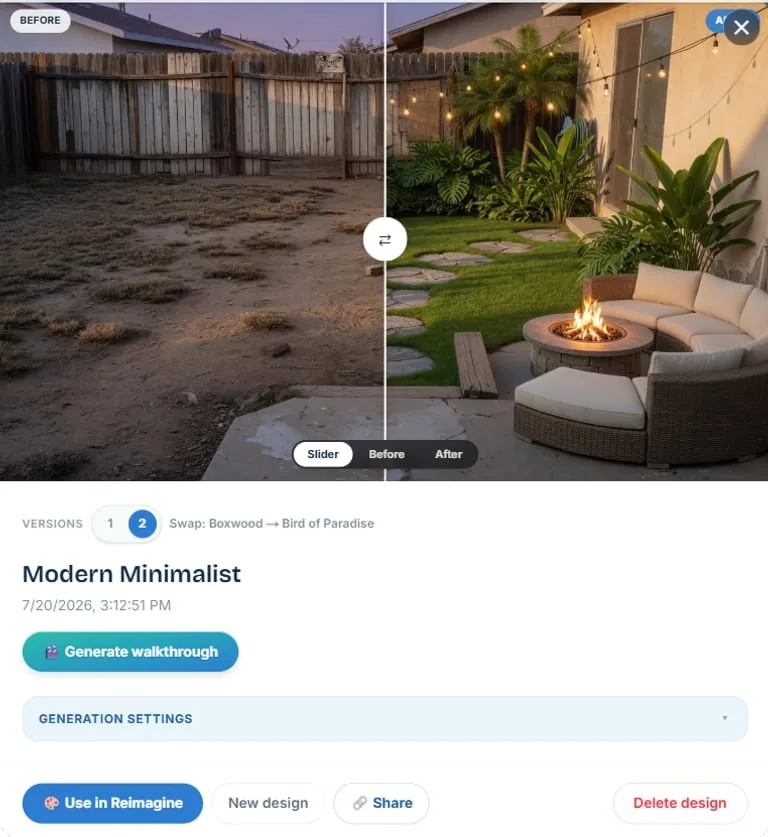
No more “the second version was better and it’s gone.”
The library got a full redesign
The plant library is the heart of the zone-aware experience, and it now looks the part: a unified browse toolbar across every tab — search, filters, sorting, and grid/list views that work the same everywhere — plus one zone control that the whole library follows, room to breathe on big monitors, and some botanical line art we’re fond of.
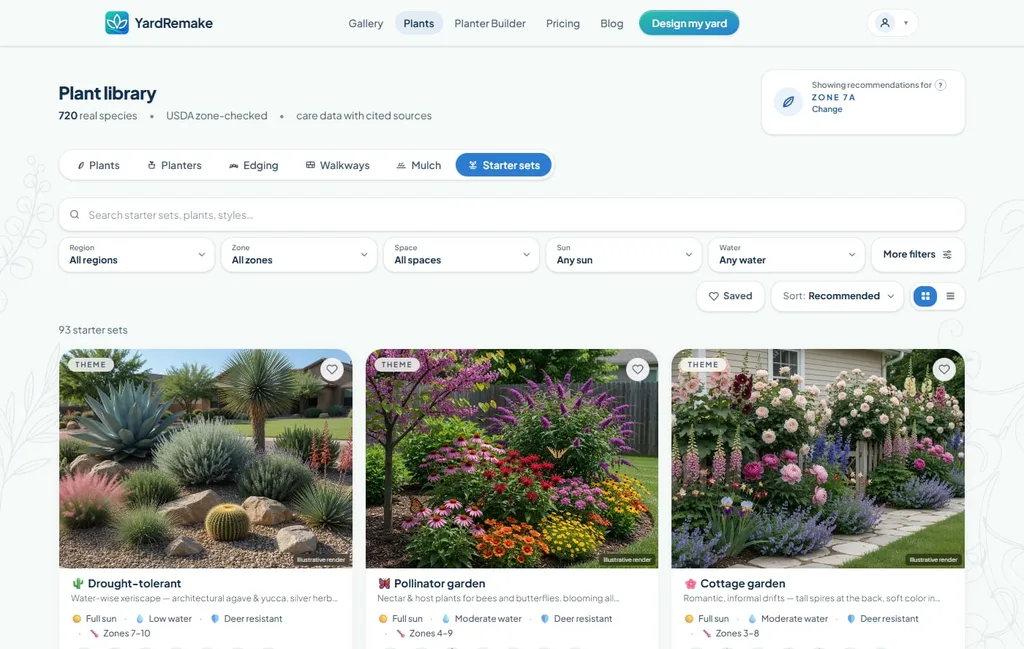
Starter sets deserve their own callout: 82 researched plant groupings across zones 3–12, including small-space sets, each one a layered recipe (canopy, mid-layer, ground cover) that’s rated to survive together.
Walkways, mulch, and bed ground covers
The studio’s material categories keep growing: walkways (14 styles the AI routes along a path you draw), mulch & bed ground cover (12 styles for dressing beds), and edging expanded to 27 styles to match.
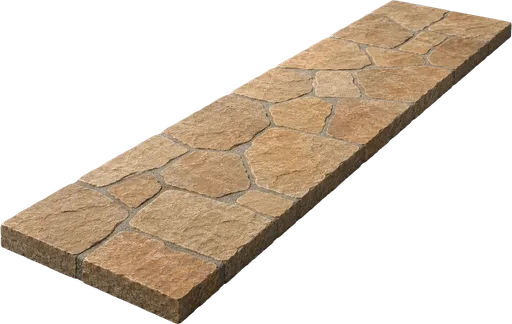
Irregular Flagstone
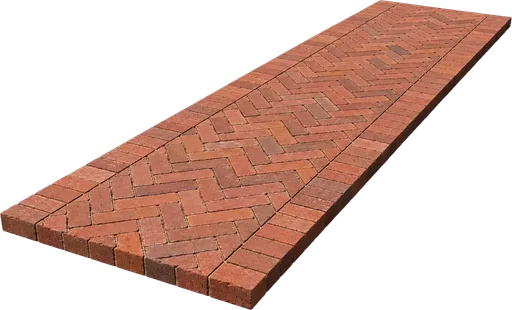
Brick Herringbone

Modern Slab
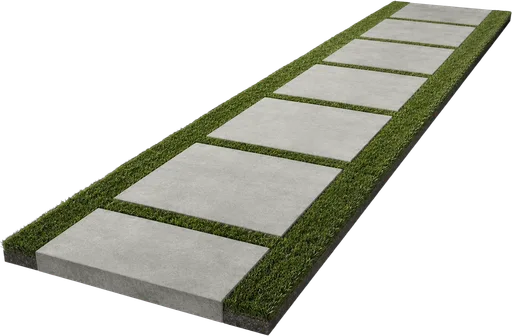
Steppers in Lawn

Black Mulch
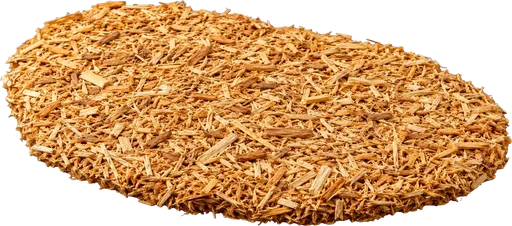
Natural Cedar

Pine Bark Nuggets

Pine Straw
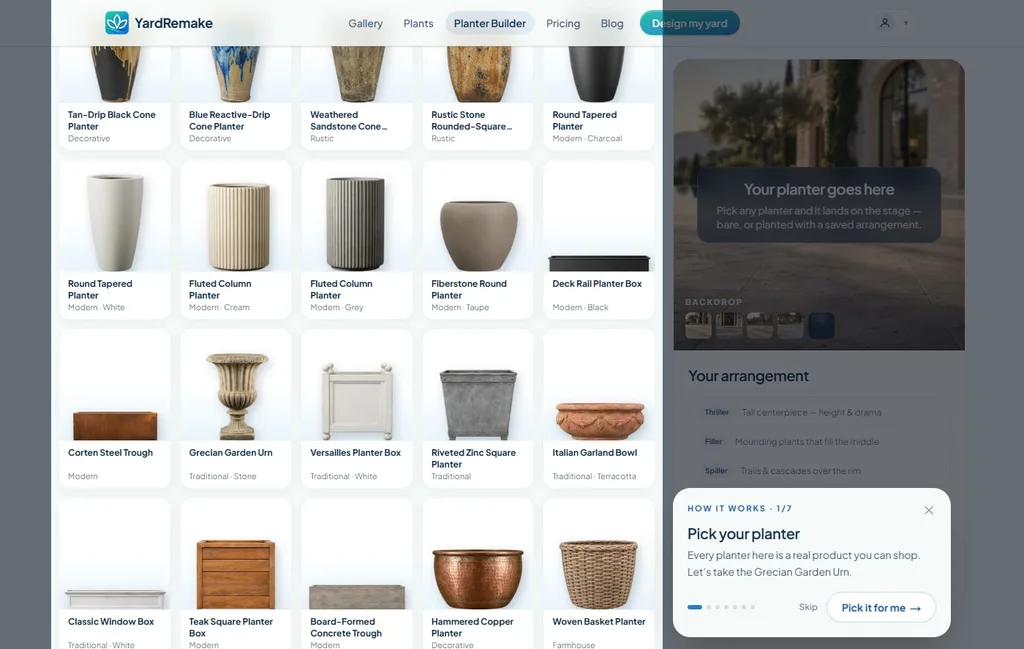
Build a Planter now teaches you how to use it
First time on Build a Planter? A guided tour now walks you through the real interface — picking a planter, choosing container-friendly plants, and generating the arrangement — with a worked example at the end so you know what you’ll get.
Odds and ends
- Use my address: start a redesign from a Street View photo of your home’s front yard — no camera required.
- Designs can hold multiple video walkthroughs, and you can generate one straight from a saved design.
- Consistent render sizing: versions of the same design now come back at matching dimensions, so before/after comparisons line up.
- A refreshed pricing page and homepage.
That’s July. If you haven’t yet, reimagine your yard.
